

If you're ready to play in a golf tournament in Northern California, this guide explains exactly how to register for an NCGA tournament. Including a quick answer, FAQ's, Tips, and Common Mistakes to Avoid.
The Northern California Golf Association (NCGA) holds over 650 tournament days each year. There are events for men, women, seniors, juniors, and players of all skill levels.
Signing up is simple, but this guide will help make it even easier.
Quick Answer: How Do You Register for an NCGA Tournament?
To register for an NCGA tournament:
- Become an active NCGA member
- Make sure you have a current Handicap Index®
- Go to the NCGA Tournament Information Page
- Search for your tournament
- Review Tournament Details
- Complete online registration and pay the entry fee
Now let’s break that down in detail.
Step 1: Become an Active NCGA Member
Before registering, you must be an active member of the NCGA.
You can join the NCGA through:
- A Regular Club at your local Golf Course
- An Associate Club (a golf club made up of players who share a common interest or group and is not connected to any one golf course)
- An online eClub
Pro Tip: Make sure your membership is active before registration opens. Many tournaments fill quickly.
Step 2: Make sure Your Handicap Index® is up to date

Having an active NCGA Membership will provide you with a GHIN Number to post scores and establish your handicap index. Be sure that you have posted all recent scores so your Handicap Index is up to date. Some tournaments may have handicap index requirements to register. For example:
- Scratch or Gross tournaments may require a low single-digit handicap index
- Net tournaments allow higher handicap index ranges
- Senior tournaments require age 55+
Your Handicap Index® must be current and accurate at the time of registration.
Click here to learn how to post a score using the GHIN Mobile App.
Step 3: Go to the NCGA Tournament Information Page
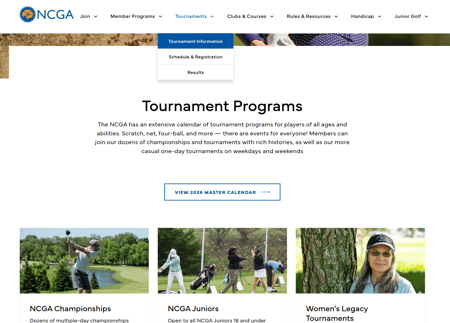
Go to the official NCGA.org website and:
- Scroll over Tournaments
- Click Tournament Information
- Click the Master Calendar button to see all NCGA tournaments on one calendar.
Pro Tip: To learn more about each specific program (NCGA Championships, Legacy, Tournaments, Weekend Net Tour, Senior Series, and more), scroll down the Tournament Information Page.
Step 4: Search for Your Tournament
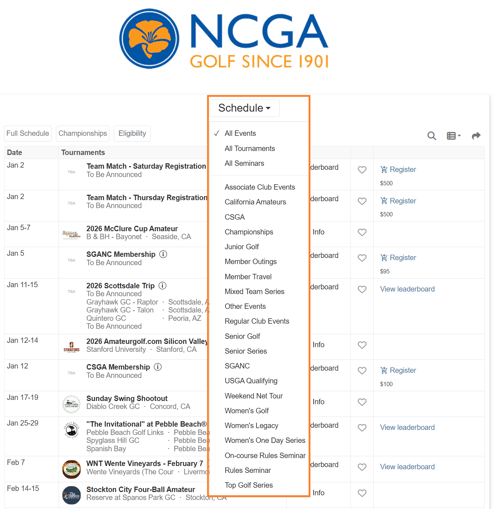
With so many NCGA tournaments available, the Master Calendar may be a little overwhelming. But the Calendar has a lot of filters to help you find a tournament that is right for you.
- Schedule Filter (Filter between different programs: Championships, Senior Series, Women's Golf, etc.)
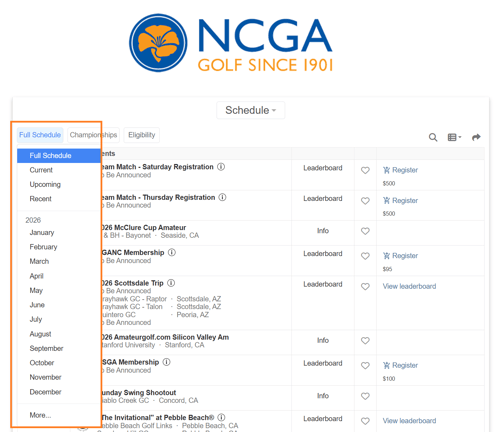
- Filter by Month
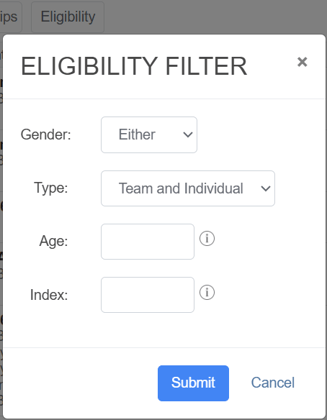
- Filter by Eligibility (Male/Female, Individual/Team, Age, Index)
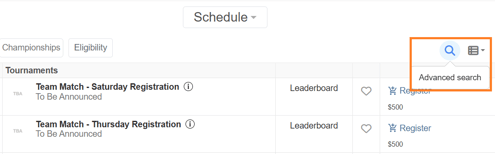
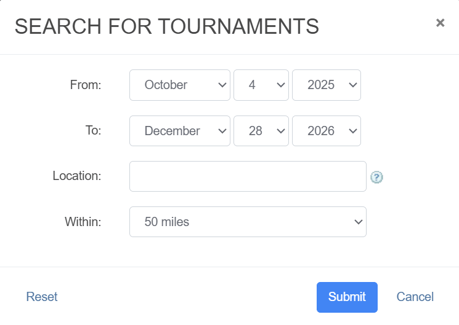
- Advanced Search, click on the magnifying glass on the right side to add location and distance filters
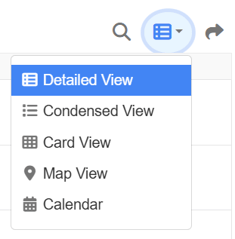
- Lastly, you can always change your Calendar View by clicking on the Table Icon
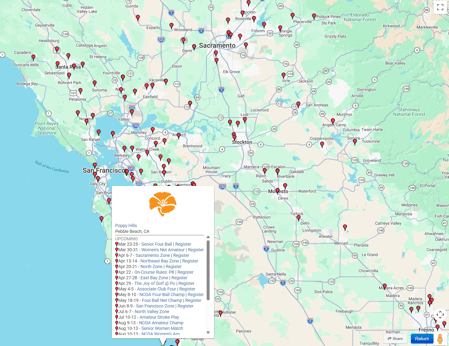
Pro Tip: The Map View allows you to see all upcoming tournaments at a course in your area.
Step 5: Review Tournament Details
Once you've found the tournament you wish to play, click on the Tournament Name to review the tournament details.
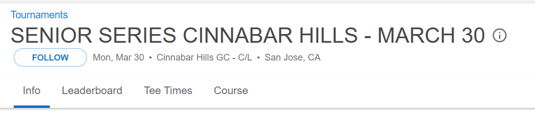
- The tournament information at the top of the page will have the tournament name, date, course, and location.
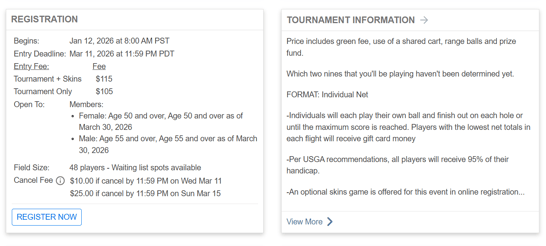
- Each tournament page has a registration and information card. This card shows important details you need to know:
- Entry Deadline
- Tournament Fees
- Who it is Open To
- Cancellation Dates and Fees
- Tournament Format
- Field Size (Lets you know if there's a waitlist)
- The Competition Schedule and Pairings section shows if the tournament starts with a shotgun start or tee times. It also shows the player pairings.
In most tournaments, pairings are made at random about one week before the event.

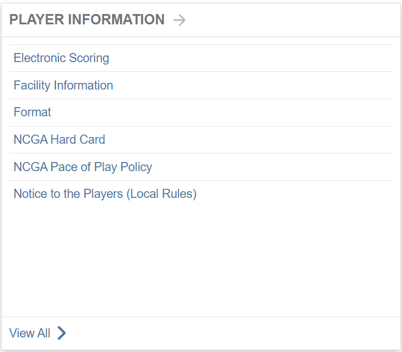
Pro Tip: Review the Player Information Card to be up to date on how to use live scoring, pace of play policies, and local rules.
Step 6: Complete Online Registration & Pay the Entry Fee
Once you have selected your tournament(s), the next step is to complete the online registration and payment.
- Click on the Register button for the tournament you wish to play

-
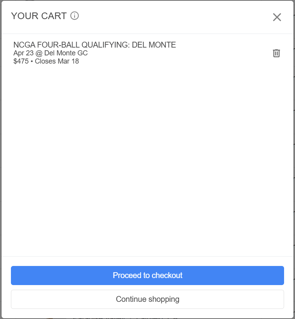
It will put the tournament in your cart. If you are through selecting tournaments, click "Proceed to Checkout," or you can continue shopping to pay for multiple tournaments at once.
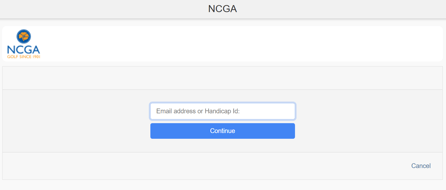
- Enter your email address or GHIN Number and password (Important Note: if entering an email address, it must be the one used for your GHIN number). If this is the first time registering for an NCGA tournament, click on the "Forgot Password Link" when it asks for your password.
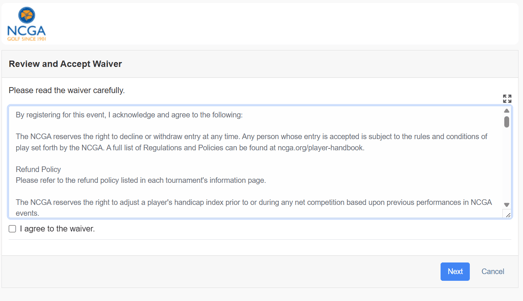
- Once logged in, agree to the waiver and click Next
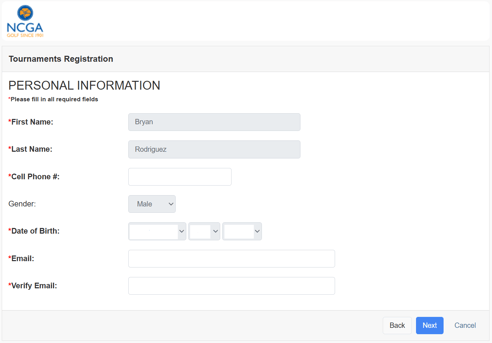
- Review and update any profile information that needs to be updated and click Next
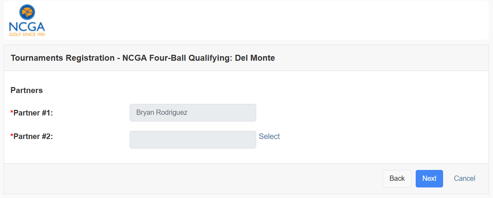
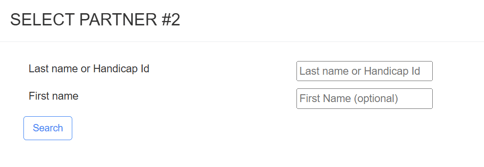
- If you're playing in a team event, it will allow you to search for your partner's information via a GHIN Number or First and Last Name.
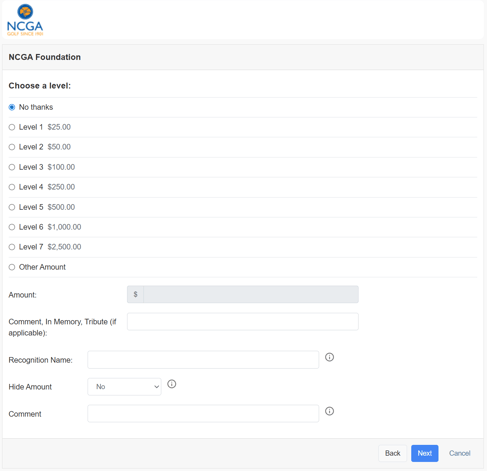
- The next page will give you the option to donate to the NCGA Foundation. We are thankful for donations of any amount!
- The second-to-last screen will ask you to enter your credit card information
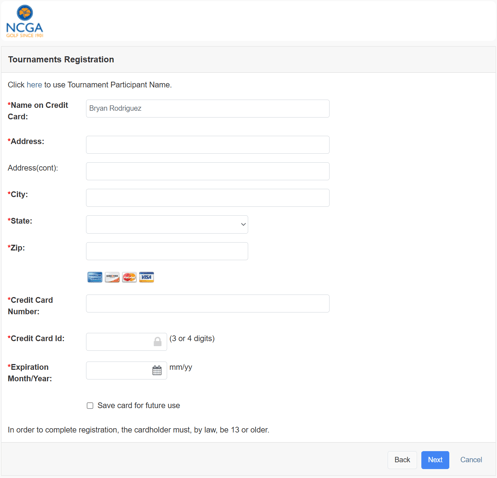
Pro Tip: Check off the option to "Save Card for Future Use" so you don't have to enter your credit card information each time you register for a tournament.
- Lastly, the final confirmation page will show the tournament details and the tournament fee. Click Register and you're all set!
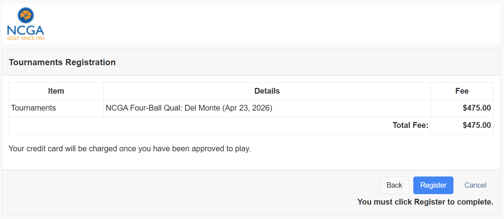
- Once registered, you will receive a confirmation email immediately after registration.
Frequently Asked Questions
Common Registration Mistakes to Avoid
- ❌ Letting your membership lapse
- ❌ Not posting your most recent scores
- ❌ Waiting too long to register
- ❌ Ignoring eligibility fine print
Planning ahead prevents nearly all registration issues.
How Far in Advance Should You Register?
For best results:
- Monitor the tournament calendar early in the season
- Register within the first week of opening
- Review the Monthly Bulletin that goes out at the beginning of every month. It will have upcoming Tournament deadlines for that month.
Serious competitive players often plan their tournament schedule months in advance.
Who Can Register for an NCGA Tournament?
You can register if you:
- Are an active NCGA member
- Have an established Handicap Index®
- Meet age or handicap index requirements
- Agree to play under the Rules of Golf
The NCGA has tournaments for all playing abilities, whether you're a 0 handicap index or a 30+ handicap index; there is a tournament for you.
Final Thoughts: Registering Is Easier Than You Think
Registering for an NCGA tournament is a straightforward online process:
✔ Active membership
✔ Verified handicap index
✔ Online registration
✔ Entry fee payment
Once complete, you’re officially entered into competitive tournament golf in Northern California.
If you want to get better at golf, play in tournaments, or compete in organized events, signing up for an NCGA tournament is a great first step.
We can't wait to call your name to the first tee!